
Smart & Touchless Faucet Installation Near Me
Starting price: Call for pricing
Touchless and smart faucets add motion-sensor or voice and app control to your kitchen or bathroom sink. Plumber Modesto Pros installs these faucets with their control boxes, power supplies, and sensor calibration done correctly, so the water responds when it should and stays off when it should not. Call (888) 667-0304 to schedule your smart faucet installation.
How does a touchless faucet actually work?
A touchless faucet replaces the handle's job with an infrared sensor and an electrically operated valve. When your hands enter the sensor's detection zone, the control box opens a solenoid valve and water flows; when you pull your hands away, the valve closes. Most kitchen models also keep a manual handle that sets the water temperature and can override the sensor, so the faucet still works the way a traditional one does. The sensor window sits near the base of the spout or on the faucet body, aimed at the space above the sink where hands naturally go.
Smart faucets build on the same idea with added connectivity. Some respond to voice commands through a home assistant, dispensing a measured amount of water or turning on to a preset temperature. Others pair with a phone app that adjusts sensor sensitivity, sets auto-shutoff timing, or monitors water usage.
The plumbing underneath is the same as any faucet installation: supply lines, a mounting shank, and a solid seal to the sink. The difference is the control module, the wiring, and the calibration that make the electronics behave.
What power source do touchless faucets use?
Most residential touchless faucets run on batteries, typically AA or a dedicated battery pack housed in a control box under the sink. Battery life is measured in hundreds of thousands of on-off cycles, which usually translates to a couple of years of normal family use. A blinking indicator light on the sensor warns when the batteries are running low, so replacement never comes as a surprise.
Some models offer an AC adapter option that plugs into a GFCI outlet under the sink. And hybrid setups use AC power with battery backup so the faucet keeps working during an outage. During installation, the power arrangement has to match what is actually available: if there is no outlet under the sink, the battery configuration is the practical choice. Plumber Modesto Pros sets up whichever power option fits your sink cabinet and confirms it is working before leaving.
What makes installation different from a standard faucet?
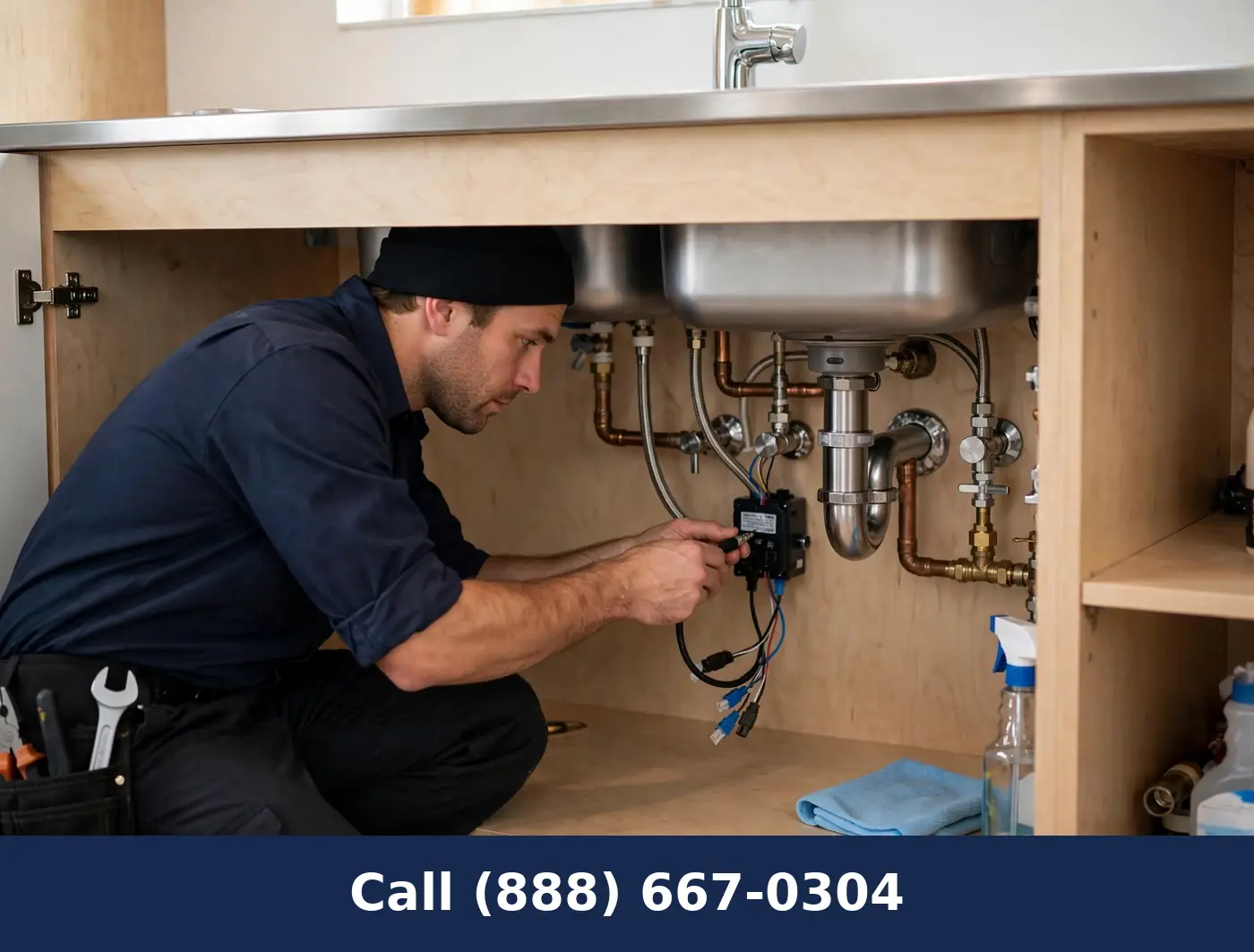
A standard faucet connects water in and water out. A touchless faucet adds a control box, a sensor cable, and a solenoid valve assembly between the supply lines and the spout. The control box mounts to the cabinet wall or sits on the cabinet floor in a dry spot. The sensor cable routes from the faucet body to the box without sharp bends or pinching, and the supply lines connect through the solenoid assembly. Every connection still has to be watertight, and the extra components have to be positioned where they will stay dry.
Moisture is the enemy of the electronics, so placement matters. The control box should not sit where a supply line drip or a sink overflow would soak it, and cables should be secured away from the disposal and cleaning supplies. Some installations need a small mounting bracket added to the cabinet wall. These details take a little extra time compared to a basic faucet, but they are what keep the faucet working reliably for years.
How do you keep the sensor working correctly?
Calibration is the step that separates a good touchless installation from a frustrating one. The sensor's detection range is adjustable on most models, and it has to be set for the specific sink. Too sensitive and the faucet triggers when someone walks past; not sensitive enough and you have to wave your hands to get water. Highly reflective sinks, like polished stainless steel, can confuse some sensors, and the range adjustment compensates for that.
The sensor window also needs to stay clean. Mineral deposits and soap film on the lens shorten the detection range over time, so a periodic wipe with a soft cloth keeps it reading correctly. After installation, the faucet is tested from different angles and distances to confirm it activates when hands approach the stream area and stays off otherwise. The auto-shutoff timer, usually around 30 seconds of continuous flow, is verified as a backup against a sensor that gets blocked.
Are smart faucets reliable for everyday family use?
For most households, yes, with the right expectations. The mechanical parts are built like any quality faucet, and the electronics are sealed units designed for the damp environment under a sink. The manual handle on most kitchen models means the faucet is never dependent on the sensor alone. Families with young children often appreciate that the water cannot be left running, and the auto-shutoff handles the times someone walks away mid-task.
The honest limitations are worth knowing. Sensors can be triggered by a pet jumping near the sink or by bright sunlight hitting the lens at certain angles. And very hard water can shorten the life of the solenoid valve just as it wears any faucet part. Voice-controlled models depend on your home network, so a Wi-Fi outage pauses the voice features while the manual and sensor operation continue. None of these are deal-breakers, but they are worth discussing before you choose a model.
Call (888) 667-0304 to talk through which smart or touchless faucet fits your household.What maintenance does a touchless faucet need? Touchless faucets ask for a little more upkeep than a basic faucet, but none of it is difficult. Battery replacement is the main recurring task: when the low-battery indicator starts blinking, fresh batteries go into the control box, usually without tools. Keeping a spare set under the sink means the swap takes minutes instead of becoming a project.
The sensor lens needs an occasional wipe with a soft, damp cloth. Soap film and mineral haze build up on the lens over time and gradually shorten the detection range. A faucet that starts needing a closer wave is usually just asking for a cleaning. The solenoid valve's inlet screens can also collect sediment, and they are cleaned during service visits to keep flow strong.
For smart models with app connectivity, keeping the manufacturer's app updated preserves features and compatibility with voice assistants. None of this maintenance affects the manual handle, which keeps working exactly like a traditional faucet throughout. A few minutes of attention a couple of times a year keeps a touchless faucet responding crisply.
Features
- Motion-sensor touchless kitchen and bathroom faucet installation
- Smart faucets with app and voice-assistant connectivity
- Under-sink control box mounting and sensor cable routing
- Battery pack or AC adapter power supply setup
- Solenoid valve and mixing valve connection and testing
- Sensor range and sensitivity adjustment and calibration
- Pull-down touchless combo models with manual override handles
Benefits
- Water on demand when your hands are messy or full
- Less touching of handles means a cleaner faucet
- Water shuts off automatically instead of running unused
- Manual handle still works if you prefer it
- Sensor tuned to your sink so false triggers are rare
- Power setup matched to what is available under your sink
- Full walkthrough of settings before the visit ends
Frequently asked questions
What happens to a touchless faucet during a power outage?
Battery-powered models keep working normally because they do not depend on household power. AC-powered models with battery backup switch over automatically. AC-only models without backup will not operate until power returns, which is worth knowing before you choose.
How long do the batteries last in a touchless faucet?
Most manufacturers rate battery life in the hundreds of thousands of cycles, which works out to roughly one to two years in a typical household. A low-battery indicator light gives advance warning, and replacing the batteries takes a few minutes under the sink.
Why does my touchless faucet turn on by itself sometimes?
False triggers usually come from the sensor range set too wide, a highly reflective sink surface, or something moving through the detection zone. Adjusting the sensitivity and repositioning items near the sink resolves most cases.
Can I still use the faucet manually?
Most touchless kitchen faucets include a manual handle that controls temperature and can turn the water on and off directly. The sensor is an added convenience, not the only way to operate the faucet.
Do smart faucets work with voice assistants?
Many smart faucet models integrate with popular voice assistants for commands like dispensing a set amount of water. Setup happens through the manufacturer's app, and the plumbing installation is the same regardless of which assistant you use.